10 Reasons Why WordPress is the Ultimate Platform for Your Blog
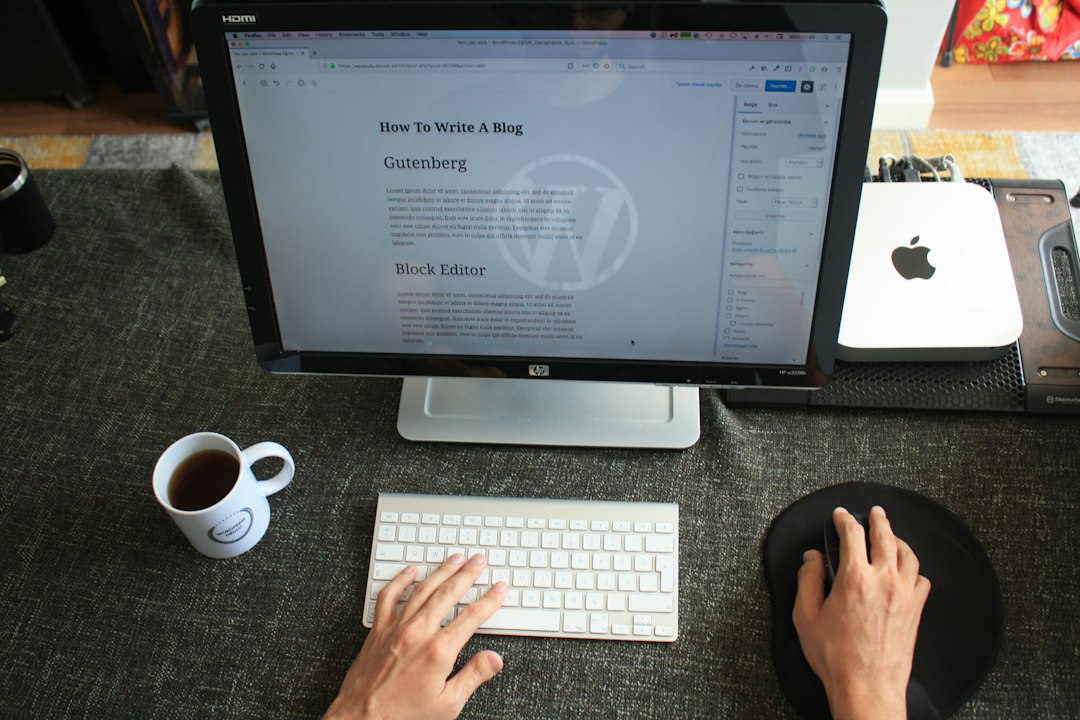
Introduction to WordPress as a Blogging Platform
WordPress is a powerful content management system that was initially developed as a blogging platform. It was first released in 2003 by Matt Mullenweg and Mike Little, and has since grown to become the most popular choice for bloggers around the world. What started as a simple tool for creating and managing blogs has evolved into a versatile platform that can be used to build websites of all kinds.
One of the main reasons why WordPress is so popular among bloggers is its ease of use. The platform offers a user-friendly interface that makes it easy for even beginners to create and manage their blogs. With its intuitive dashboard and straightforward navigation, WordPress allows bloggers to focus on what they do best - writing and publishing content - without getting bogged down by technical details.
User-Friendly Interface for Easy Blog Management
The WordPress dashboard provides bloggers with a centralized hub where they can manage all aspects of their blog. From the dashboard, bloggers can create and publish new blog posts, manage comments and user accounts, customize the design of their blog, and much more.
Creating and publishing blog posts in WordPress is a breeze. The platform offers a simple editor that allows bloggers to write and format their content with ease. Bloggers can add images, videos, and other media to their posts, as well as customize the layout and appearance of their content.
Managing comments and user accounts is also made easy in WordPress. Bloggers can moderate comments, approve or delete them, and even set up filters to prevent spam. They can also create user accounts with different levels of access, allowing them to collaborate with other writers or editors on their blog.
Customizable Themes and Templates for Unique Blog Design
One of the key features that sets WordPress apart from other blogging platforms is its extensive library of themes and templates. A theme is essentially a pre-designed template that determines the overall look and feel of a blog. WordPress offers thousands of free and premium themes that bloggers can choose from to customize the design of their blog.
Choosing and installing a theme in WordPress is a straightforward process. Bloggers can browse through the theme library, preview different themes, and then install the one they like with just a few clicks. Once a theme is installed, bloggers can further customize it using the WordPress Customizer, which allows them to change colors, fonts, layouts, and more.
The ability to customize themes in WordPress gives bloggers the freedom to create a unique and personalized blog design that reflects their brand or style. Whether they prefer a minimalist look or a bold and vibrant design, WordPress offers endless possibilities for customization.
Robust Plugin Library for Enhanced Blog Functionality
In addition to themes, WordPress also offers a vast library of plugins that can enhance the functionality of a blog. A plugin is a piece of software that can be added to a WordPress site to add new features or extend existing ones. With thousands of plugins available, bloggers can easily find ones that suit their specific needs.
There are plugins available for almost every aspect of blogging, from SEO optimization to social media integration to e-commerce functionality. Some popular plugins for bloggers include Yoast SEO for search engine optimization, Jetpack for site performance and security, and WooCommerce for setting up an online store.
Installing and using plugins in WordPress is a simple process. Bloggers can search for plugins directly from their WordPress dashboard, install them with a few clicks, and then activate them to start using their features. Many plugins also offer customizable settings that allow bloggers to fine-tune their functionality to meet their specific requirements.
SEO-Friendly Features for Improved Search Engine Visibility
Search engine optimization (SEO) is crucial for bloggers who want to increase their visibility and attract more organic traffic to their blogs. WordPress offers several built-in features that make it easy for bloggers to optimize their content for search engines.
WordPress allows bloggers to customize their permalinks, which are the URLs of their blog posts. By including relevant keywords in the permalink structure, bloggers can improve their chances of ranking higher in search engine results.
The platform also offers built-in support for meta tags, which are snippets of code that provide information about a web page to search engines. Bloggers can easily add meta tags to their blog posts using plugins like Yoast SEO, which also provides additional features for optimizing content, such as keyword analysis and readability checks.
Mobile-Responsive Design for Accessible Blogging Anywhere
With the increasing use of mobile devices, it is essential for bloggers to ensure that their blogs are mobile-responsive. A mobile-responsive design means that the layout and content of a blog automatically adjust to fit different screen sizes, providing a seamless user experience across devices.
WordPress ensures mobile responsiveness by using responsive themes and templates. Many of the themes available in the WordPress library are designed to be mobile-friendly, meaning they automatically adapt to different screen sizes without the need for additional coding or customization.
To test the mobile responsiveness of a WordPress blog, bloggers can use tools like Google's Mobile-Friendly Test. This tool analyzes a website and provides feedback on its mobile usability, highlighting any issues that need to be addressed.
Built-In Analytics for Comprehensive Blog Performance Tracking
Understanding how your blog is performing is essential for making informed decisions and improving its success. WordPress offers built-in analytics features that allow bloggers to track various metrics related to their blog's performance.
The WordPress analytics dashboard provides an overview of key metrics such as page views, visitors, and popular content. Bloggers can also access more detailed reports that provide insights into user behavior, traffic sources, and engagement metrics.
By analyzing this data, bloggers can gain valuable insights into their audience's preferences and behavior. They can identify which types of content perform best, which traffic sources are driving the most visitors, and how users are interacting with their blog. This information can then be used to optimize content, improve user experience, and drive more traffic to the blog.
Secure Platform for Safe and Reliable Blogging
Security is a top concern for bloggers, especially those who handle sensitive information or run e-commerce websites. WordPress takes security seriously and offers several features to ensure the safety and reliability of blogs.
WordPress regularly releases updates that address security vulnerabilities and improve the overall performance of the platform. Bloggers are notified of these updates through their dashboard and can easily install them with a few clicks.
In addition to regular updates, WordPress also offers several security features that help protect blogs from threats. These include password protection, user authentication, and secure data encryption. Bloggers can also use plugins like Wordfence or Sucuri to add an extra layer of security to their blogs.
Community Support and Resources for Continued Blog Growth
One of the greatest strengths of WordPress is its vibrant and supportive community. The WordPress community is made up of millions of bloggers, developers, designers, and enthusiasts who are passionate about the platform and eager to help others succeed.
There are numerous resources available for bloggers who want to learn more about WordPress or need assistance with their blogs. The official WordPress website offers extensive documentation, tutorials, and forums where bloggers can find answers to their questions or seek advice from experienced users.
There are also many online communities and forums dedicated to WordPress where bloggers can connect with like-minded individuals, share ideas, and collaborate on projects. These communities often organize meetups and conferences where bloggers can network with others in person and learn from industry experts.
Affordable and Scalable Platform for All Types of Bloggers
WordPress offers a range of pricing options that make it accessible to bloggers of all budgets. The platform itself is free to use, meaning bloggers can create a basic blog without any upfront costs. However, there are additional costs associated with hosting, domain registration, and premium themes or plugins.
WordPress can also scale with bloggers as their needs grow. Whether they want to add new features, expand their audience, or monetize their blog, WordPress offers the flexibility and scalability to accommodate these changes. Bloggers can easily upgrade their hosting plan, add new plugins or themes, or even hire developers to customize their blog as needed.
Conclusion
WordPress is a powerful and versatile platform that offers numerous benefits for bloggers. Its user-friendly interface, customizable themes, robust plugin library, SEO-friendly features, mobile-responsive design, built-in analytics, secure platform, community support, and affordability make it an ideal choice for bloggers of all levels of experience. Whether you're just starting out or looking to take your blog to the next level, WordPress provides the tools and resources you need to succeed. Give it a try and see how it can transform your blogging experience.
If you're looking to improve the SEO of your WordPress website, you'll want to check out this essential guide to WordPress SEO. It covers common mistakes to avoid and provides valuable tips on how to optimize your site for search engines. From keyword research to on-page optimization, this article has everything you need to know to boost your website's visibility and drive more organic traffic. Don't miss out on this valuable resource! Read more
FAQs
What is WordPress?
WordPress is a free and open-source content management system (CMS) that allows users to create and manage websites and blogs.
Who created WordPress?
WordPress was created by Matt Mullenweg and Mike Little in 2003.
What programming language is WordPress written in?
WordPress is primarily written in PHP, with some HTML, CSS, and JavaScript.
Is WordPress free?
Yes, WordPress is free to use and download. However, users may need to pay for web hosting and domain registration.
What is a WordPress theme?
A WordPress theme is a collection of files that determine the look and feel of a WordPress website. Themes can be customized or created from scratch.
What is a WordPress plugin?
A WordPress plugin is a piece of software that can be added to a WordPress website to add new features or functionality.
Is WordPress secure?
WordPress is generally considered to be a secure platform, but like any software, it can be vulnerable to security threats if not properly maintained and updated.
What is the difference between WordPress.com and WordPress.org?
WordPress.com is a hosted platform that allows users to create and manage websites without needing to install or maintain software. WordPress.org is a self-hosted platform that requires users to install and maintain the software themselves.
Leave a Reply

Making your own website is simpler than you think!
RISK FREE!
TRY NOW WITH OUR 30 DAY MONEY BACK GUARANTEE.